Download BuhoLaunchpad 1.8.6 for Mac
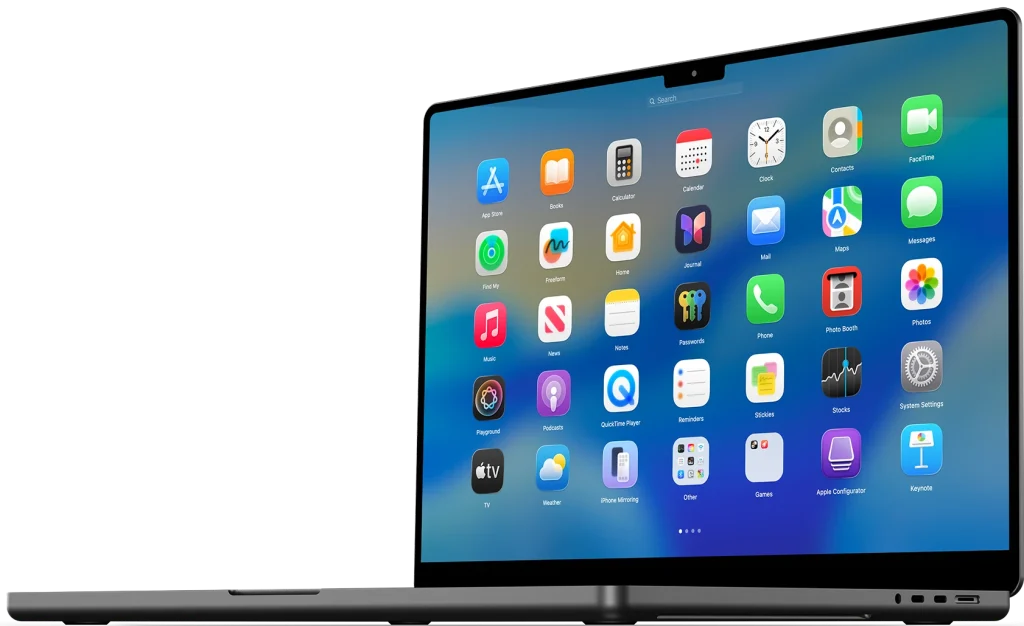
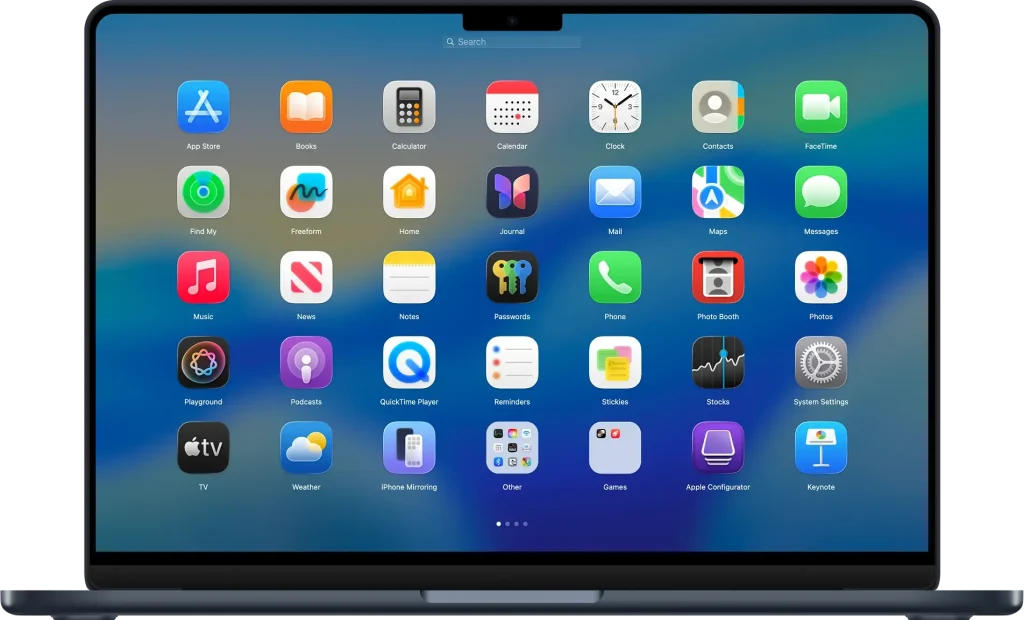
BuhoLaunchpad 1.8.6 is gone you’re not by yourself many seasoned Mac users still choose the visual, paged grid of icons that they can manually peruse and arrange, even if Apple changed software access to Spotlight search. A lightweight macOS tool called BuhoLaunchpad replicates and enhances the Launchpad experience by including sophisticated management features that Apple never included.Instead of taking the place of your workflow, BuhoLaunchpad simply reintegrates into it. It may be called upon using a gesture, a hot corner, or a keyboard shortcut, exactly like the Launchpad you are used with.
Key Features:
Authentic Launchpad Recreation with Modern Gestures:
BuhoLaunchpad recreates the classic Launchpad feeling with pixel-perfect animations and fluid page swipes, and can be summoned instantly with the familiar four- or five-finger pinch gesture, just like the original. You can also assign a screen corner as a hot corner, use arrow keys, scroll, or click to move around. This matters most for users who rely on muscle memory — if you’ve spent years pinching to open Launchpad, you don’t have to relearn anything.
Full Control Over Your App Grid:
Unlike the rigid, one-size-fits-all grid Apple shipped, BuhoLaunchpad lets you adjust the number of rows and columns to fit your screen size and visual preference, from compact grids that fit more apps to spacious layouts that are easy on the eyes. You can drag icons to rearrange them, group apps into custom folders, rename folders with a single click, and remove apps with a simple drag. This is especially useful for professionals managing dozens of apps who want a clutter-free, personalized workspace.
Backup, Restore, and Legacy Migration:
BuhoLaunchpad’s backup and restore system acts as a time machine for your app layouts — back up your current grid with one click, then restore it instantly whenever needed, which is useful for switching between setups or recovering from accidental changes. If you’re upgrading from an older macOS version, the Migrate Legacy Launchpad Layout tool can pull in your previous arrangement automatically, so your workspace survives system and hardware upgrades alike.
Hide Apps Without Deleting Them:
Tired of scrolling past software you rarely use? You can right-click any app and hide it from the Launchpad instantly — hidden apps aren’t deleted, they’re archived in Settings under Hidden Apps, ready to be restored at any time. This is ideal for users with large app libraries who want a leaner, more focused grid without permanently losing access to anything.
Native macOS Look and Feel:
BuhoLaunchpad offers full support for native App Icon styles, including Default, Dark, Light, and Tinted, so the utility blends seamlessly with your system theme instead of feeling like a bolted-on third-party tool. This appeals to design-conscious users who don’t want to sacrifice visual consistency for functionality.
Screenshots:
System Requirements:
| Requirement | Details |
|---|---|
| Operating System | macOS 14 (Sonoma) or later, including macOS 26 Tahoe |
| Processor | Apple Silicon or Intel-based Mac |
| RAM | 4 GB minimum recommended (lightweight utility) |
| Storage | Minimal free disk space required for installation |
| Graphics | Integrated graphics sufficient (no dedicated GPU required) |
| Display | Standard Mac display; supports multi-display setups |
| Internet Connection | Required for download, license activation, and updates |
| Additional Requirements | Trackpad recommended for gesture support; Accessibility permissions may be required for gestures and hot corners |
Pros:
- Faithfully restores the classic Launchpad experience removed in macOS Tahoe
- Supports familiar gestures, hot corners, and keyboard navigation
- Highly customizable grid layout, folders, and icon organization
- One-click backup/restore plus legacy layout migration
- Matches native macOS icon styles and system themes
Cons:
- Not a Mac App Store release — installed via direct download (DMG)
- Full functionality may require a paid license after the trial period
- Gesture-based features depend on trackpad hardware and system permissions
- Third-party overlay, so deep system integration (like Apple’s own Launchpad) isn’t guaranteed with every macOS update
- Version numbering varies across download sources, so always confirm you’re getting the official build
How to Install BuhoLaunchpad?
- Run the downloaded image and drag the application to the Applications folder shortcut.
- Once copying is complete, the application can be launched via Launchpad.